Follow these steps to hide specific blocks (like contact forms) for bank holidays, staff shortages, or when your surgery reaches capacity.
1. Locate Your Page & Blocks
Open your Site Admin Dashboard.
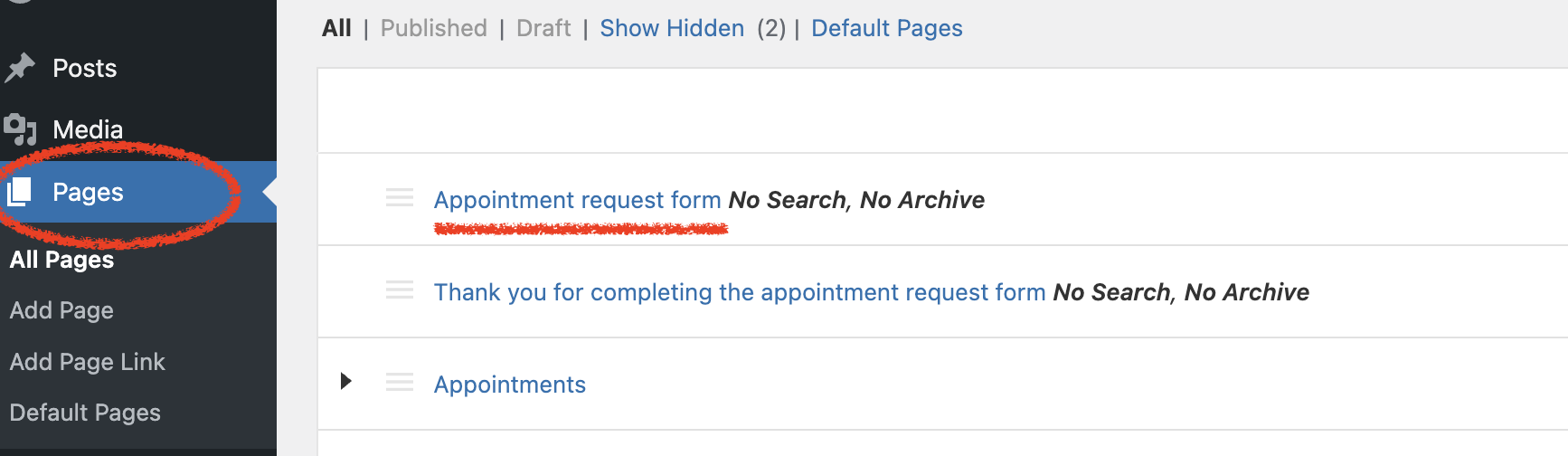
Select the page you wish to edit.
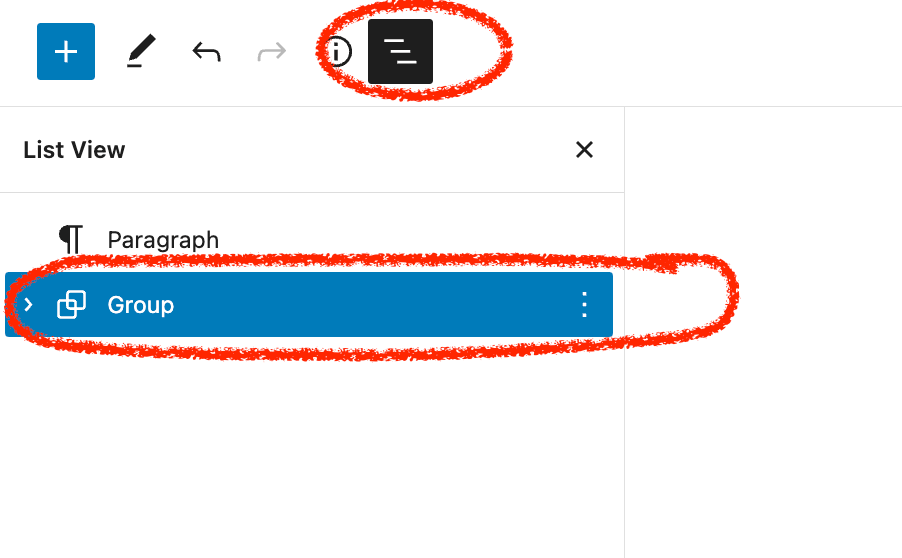
Pro Tip: Click the Page List View icon (top-left of the editor) to see a structured list of all blocks. This makes it much easier to find the exact group or block you need to edit.
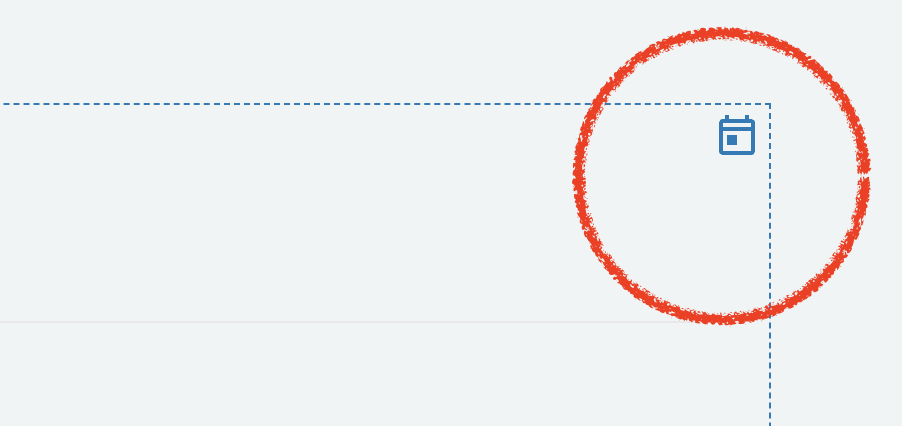
Note: Blocks with active schedules will show a small icon in their top-right corner.
2. Handling Holidays (Scheduled Changes)
Most visibility controls are applied to a Group containing one or more blocks. Select the Group to open the controls on the right-hand side.
How to hide a block for a specific day:
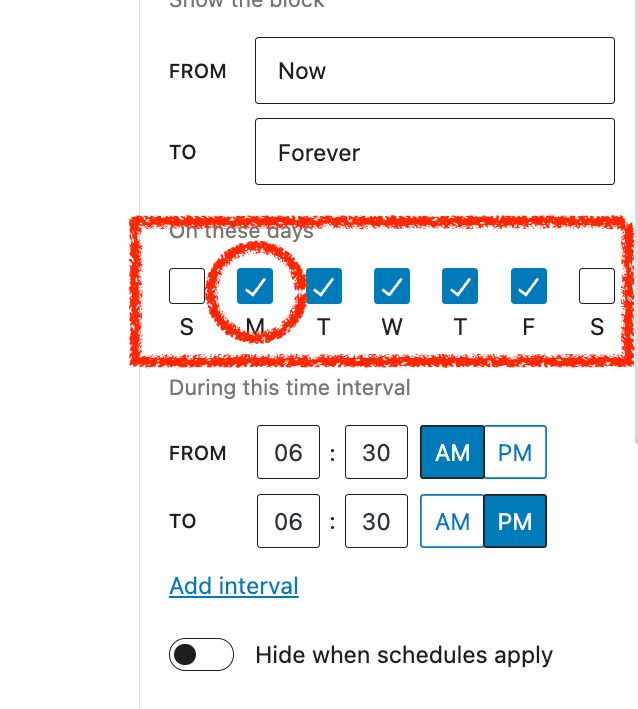
Deselect the Day: On the week of the holiday, find the day-of-the-week toggles (e.g., M, T, W, T, F). Deselect the day of the holiday (e.g., click 'M' to turn off Monday).
Re-enable: After the holiday has passed, you must manually click the day again to turn it back on.
[!CAUTION] Don't Forget: If you don't switch the day back "On" after the holiday, that block will remain hidden on that day every single week.
3. Temporary "Kill Switch" (Manual Override)
If the surgery is overwhelmed or at capacity, you can hide a block immediately, regardless of its usual schedule.
Select the Block/Group: Open the visibility controls on the right.
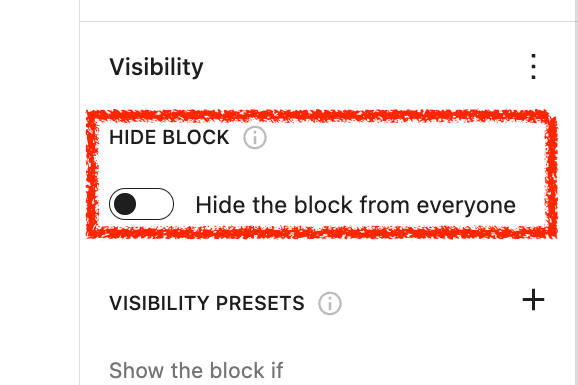
Toggle "Hide block from everyone": Switch this ON to instantly disable the block.
To Restore: Simply toggle this OFF to return to your normal schedule.
[!IMPORTANT] Warning: While this is active, the form is completely disabled. Remember to deselect this option as soon as you are ready to accept requests again.
4. Troubleshooting: "Hide" Option Missing?
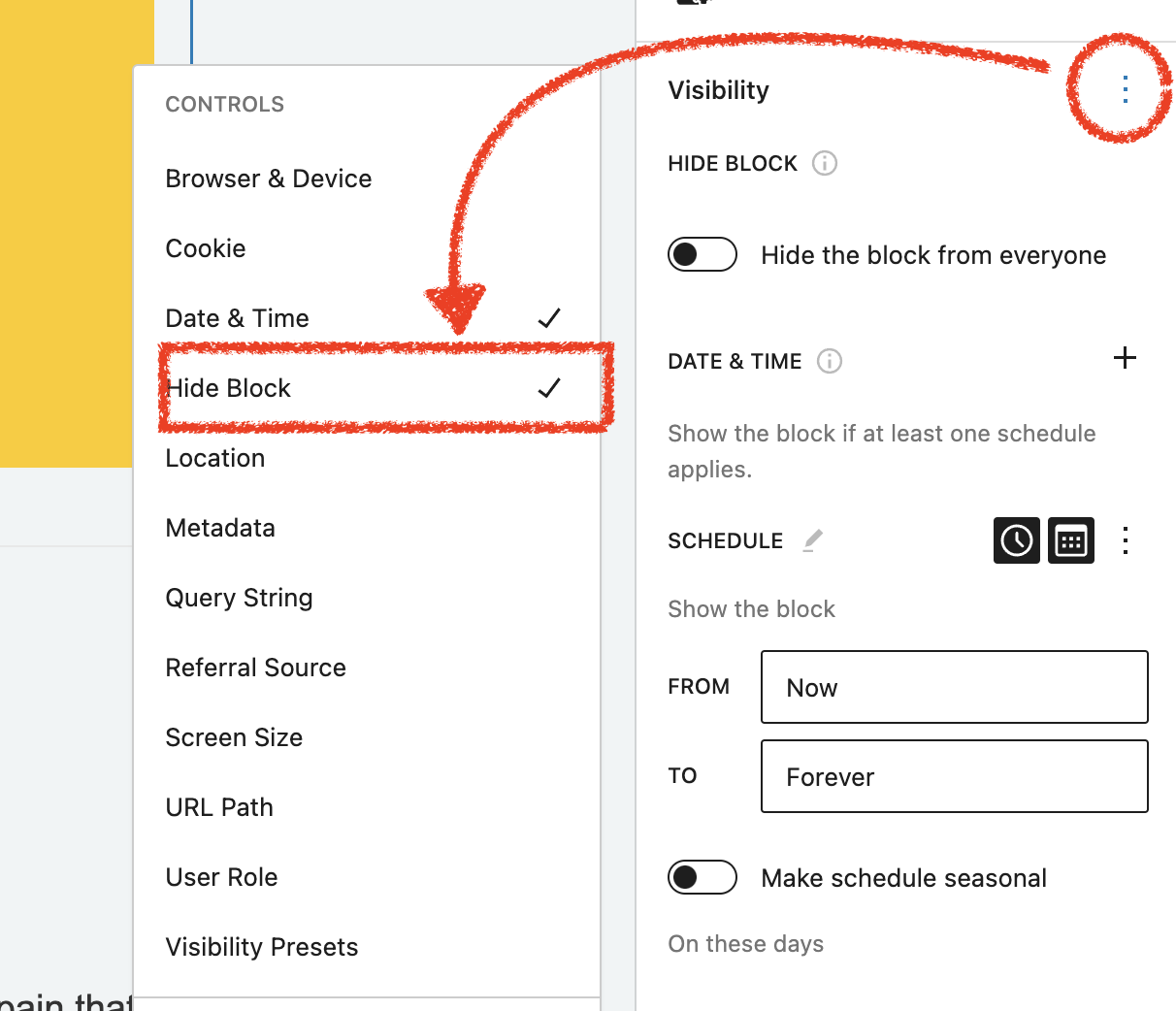
If the "Hide block from everyone" toggle isn't visible in your sidebar, you can activate it:
Click the Visibility Control Options menu.
Select the Manual Override/Hide feature from the list to add it to your control panel.
Need More Help?
While manually toggling days is often the easiest method for one-off holidays, you can find advanced scheduling techniques in the Block Visibility Knowledge Base.
Was this article helpful?
That’s Great!
Thank you for your feedback
Sorry! We couldn't be helpful
Thank you for your feedback
Feedback sent
We appreciate your effort and will try to fix the article